Minecraft 1.8.9 PvP, optimized for high FPS.
VantaClient, also searched as Vanta Client, is a really good Minecraft client for PvP players who want smoother gameplay, lower input delay, custom HUD mods, cosmetics, and a cleaner launcher experience on Minecraft Java Edition.
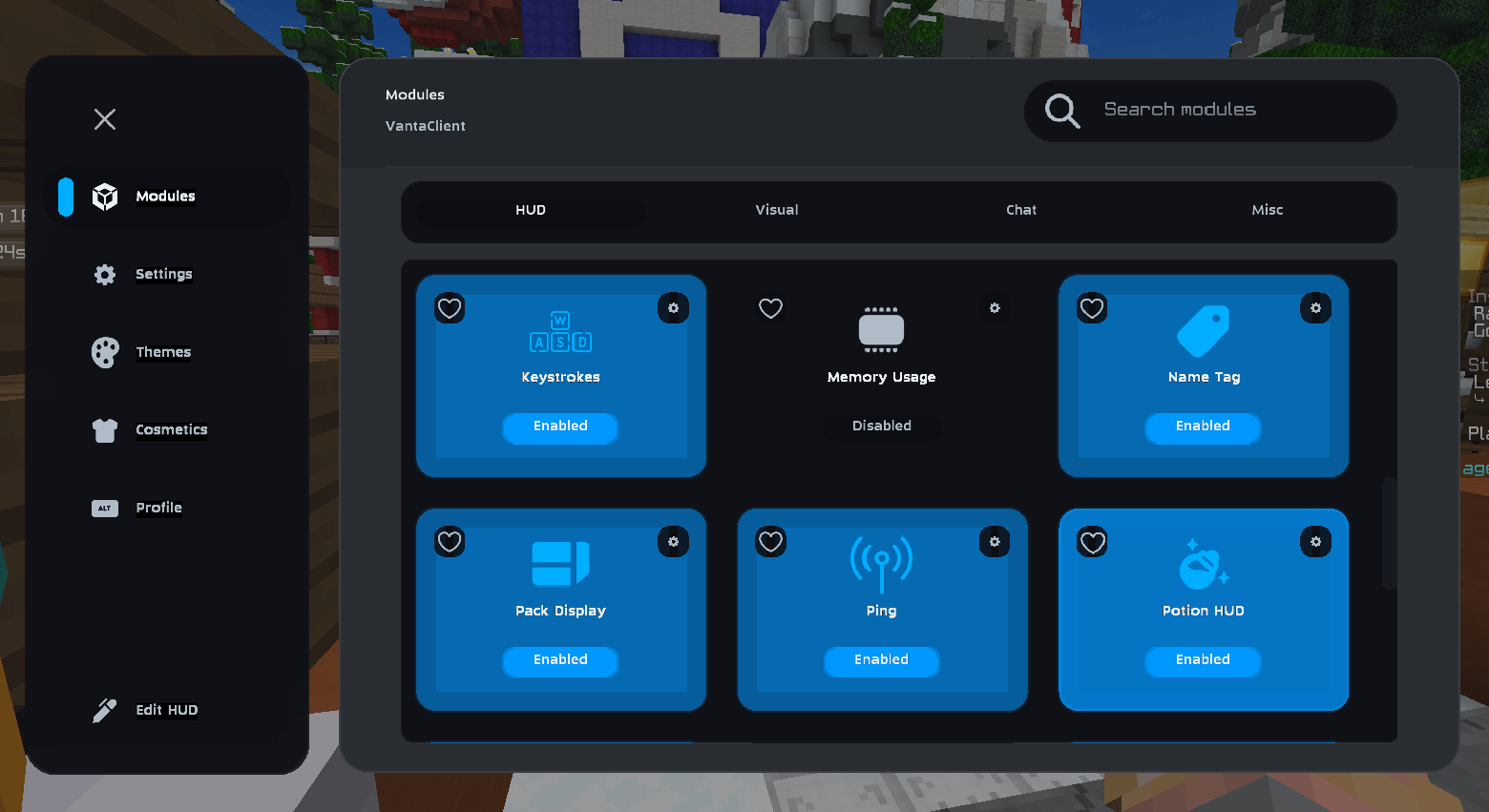
Engineered for Minecraft PvP
VantaClient is built for Minecraft PvP 1.8.9 players who care about stable frame rates, fast menus, cleaner HUD layouts, and consistent multiplayer performance.
FPS Optimization
Advanced rendering improvements act like a Minecraft FPS boost and optimization mod, helping reduce stutter and improve smoother gameplay on both strong and low-end PCs.
Cosmetic Support
Built-in support for Minecraft cosmetics, capes, animated cape options, and visual upgrades that stay synced with the VantaClient store.
Low Latency
Input-focused architecture reduces delay so PvP mechanics like combos, strafing, W tapping, and block hitting feel more responsive.
Custom Modules
Over 50 client mods and PvP utilities let you tune crosshair, HUD, controls, and gameplay tools to match your exact playstyle.
Modern UI
A clean Minecraft client UI with faster navigation, modded interface controls, and readable menus for Minecraft Java multiplayer.
Minecraft PvP Mods and Utilities
A preview of the PvP tools, HUD mods, and gameplay enhancements available inside the client.
CPS Display
Real-time click speed tracking with customizable animations.
Reach Display
Monitor hit distances to improve your PvP spacing.
Auto GG
Automatically send "GG" after matches end.
Motion Blur
Add cinematic smoothness to your camera movements.
Fullbright
Perfect visibility in dark caves and arenas.
Item Physics
Flattens items on the ground and reduces spin for cleaner visuals.
Armor HUD
Track armor durability directly on your gameplay layout.
Combo Counter
Measure hit streaks with animated counters and clean overlay cards.
Keystrokes
Display key presses with responsive visuals and smooth transitions.
Download the Minecraft 1.8.9 PvP Client
Download the VantaClient launcher for Minecraft Java Edition and start playing with FPS optimization, PvP mods, and cosmetics in minutes.
Common Questions
Yes. VantaClient is performance and cosmetic focused, with no gameplay automation or unfair advantages.
Yes. VantaClient includes its own optimized renderer and remains compatible with OptiFine features.
Yes. The client is free to use, with optional cosmetics in the store that support development.